Taking Creativity to New Heights with Canva and Book Creator
Nicole Mathew
Curriculum Specialist
News
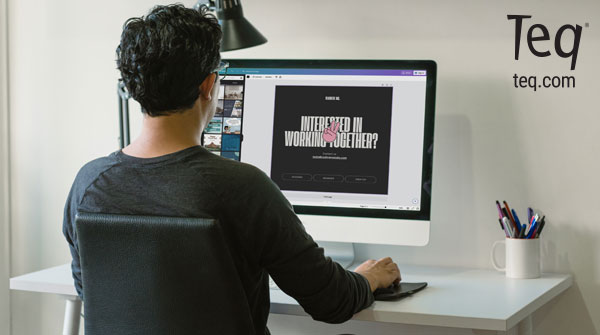
You may already know and love Book Creator! It’s engaging, web-based creation tool that gives students the ability to design and self-publish their very own e-books. You may also be familiar with Canva. The easy-to-use digital design platform allows you to create anything from social media posts, worksheets, posters, presentations, and more. Get ready to fall in love all over again with the new Book Creator and Canva integration!
What is Book Creator?
Book Creator is a phenomenal tool to use with students of all ages. Teachers can use it for any task, such as having young students write an “about me” book. You can also have secondary students publish a graphic novel on life during WWII. With built-in templates, different book sizes, images, text, audio, and more, students have endless possibilities for communicating their ideas. A new feature within Book Creator is the ability to use different apps without needing a separate window, additional design space, or having to download creations and re-upload them into your eBook. Now, you have the power to create and insert Canva designs in any Book Creator book. Additionally, you can import creations from other apps like Giphy and Bitmoji.
Canva integration in Book Creator
Students can use Canva for even the simplest components, such as elements (e.g. photos, graphics, lines/shapes, frames, etc.) or drawings, to add an additional level of creativity and graphic design. This can help add extra components that may not be available within Book Creator. Additionally, you have access to the design templates, styles, and even the apps that integrate with Canva. Note that you do not have all of the templates found on the regular Canva platform. Rather, you have a curated collection of templates that are formatted to the size and content of Book Creator books. For example, if I wanted to add a one-month calendar page, I would only find a single template for a weekly calendar. Whereas, the same search on Canva retrieved numerous results.
Having Canva templates and picture frame options can help provide a base point for students who may not know where to start or who get overwhelmed by a blank canvas in Book Creator. On the other hand, the Canva integration can provide even more customization options, enhanced design tools, etc. This allows for more advanced students to improve their creations. Some students may feel limited by the amount of design tools in Book Creator, so having Canva integration is a huge benefit! This collaboration allows teachers to utilize Book Creator as a tool that is not only going to give students choice and flexibility in the work and products they create, but challenge them in a way that works for their needs. The possibilities are truly endless. Don’t wait any longer! Head over to Book Creator with your students and get ready to be surprised by all the marvelous creations they come up with!
More from OTIS
For more information on how to use Book Creator, Canva, or the two platforms together, check out the Course Library on OTIS for Educators. You can also visit the Edu Resources section of our website for downloadable templates you can use with students.
For more tips, tricks, and tools for teaching in and out of the classroom, check out more content on the Teq Talk blog or our YouTube channels OTIS for educators and Tequipment.
We also offer virtual professional development, training, and support with OTIS for educators. Explore the technology and strategies that spark student success — no matter where teaching or learning are happening!
Follow us on social:
 edteq
edteq  OTIS4educators | Teq Products | iBlocks
  OTIS4educators | MyTeq
  Teq
Teq
0 thoughts on “Taking Creativity to New Heights with Canva and Book Creator”
Related Articles & Other Recommended Reading

Top 10 Ways to Celebrate Pi Day
Did you know that the first official Pi Day celebration occurred in 1988 at the Exploratorium in San Francisco? In America, we celebrate on March 14th because 3.14 are the first digits of the mathematical constant known as pi. However, in areas such as the United Kingdom, people celebrate on July 22nd. Why? This is […]

7 New PD Courses to Transform Your Classroom for February 2026
Get ready for Digital Learning Day on February 26th! Celebrate with 7 brand-new OTIS courses that make edtech integration easy. From AI-driven lesson planning to interactive classroom tools, master the tech your students love, without the steep learning curve. Here are 7 new PD courses to transform your classroom for February 2026! Check Out What’s […]

Check out our PD Micro-Credential: The Science of Reading
Earlier this year, OTIS for educators launched a PD micro-credential focused on “The Science of Reading.” This 10-part online course takes just under eight hours to complete. “The Science of Reading” micro-credential PD provides participants with a solid foundation of the tenets of reading instruction. We will delve into each component, critical for understanding the […]