3 Ways to Use 3Doodler to Support Student Learning
Nicole Mathew
Curriculum Specialist
iBlocks
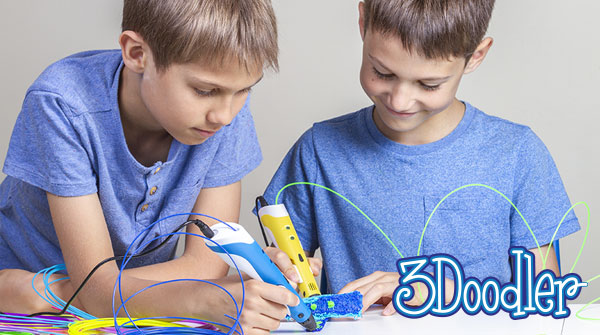
You’ve definitely heard about 3D printing, but do you know about 3Doodler? 3Doodler is a 3D pen that extrudes heated plastic from the pen’s nozzle. With a 3D pen, you can draw graphics on any flat surface. You can even “draw” 3D structures in mid-air! Use 3Doodle to create anything from STEM engineering projects to handmade jewelry. As a result, 3Doodler brings endless possibilities to the classroom, with everything from crafts to design thinking.
1) Start+ as an adaptive tool
One of my favorite ways to use 3Doodler with students is by using it as an adaptive tool. This is where using the Start+ model comes into play. The 3Doodler Start+ pen can be used with any student. This includes pre-literate students, elementary level students, students with accessibility needs, and more.
This pen is ergonomically designed with a limited interface to make it easier for users to hold and use the pen. Additionally, 3Doodler is committed to making their products accessible to all users so more people are able to use them and create. Start+ is even RNIB (Royal National Institute for the Blind) approved, since it is designed with tactile markings to make the pen easy to navigate and operate.
2) Creation through tracing
How can this tool be used to help students process information or create new things? It’s surprisingly very easy to bring into everyday instruction as a support tool. There’s no need to make separate lessons or reinvent the wheel when using 3Doodler Start+. Students can use the 3D pens to trace shapes, letters, and numbers.
Tracing can be used as a pre-writing and reinforcement tool. As a result, it can help students improve recognition, practice fine motor skills, increase spatial awareness, and become better writers through muscle memory. Additionally, tracing can help students feel more confident to try and write the letters independently, whether doing so using their 3Doodler or another writing instrument.
3) Transdisciplinary applications and skill building
Tracing is not the only way you can use the 3Doodler pen. Students can also use it to solve math problems, create number lines, circle/underline unknown words in a text, create physical models of abstract or hard to see concepts being discussed in class, and more. Additionally, many students can improve participation by using a different communication tool like 3Doodler. Visually impaired students will also benefit from being able to draw out something with their pen. This way, they can feel their drawings on paper using their fingers.
Bringing a tactile component into your lessons and activities can have tremendous benefits for students. Using 3Doodler with students requires them to concentrate on the task at hand. This is especially beneficial for students who have difficulties concentrating due to ADHD or other factors. Plus, 3Doodler builds essential 21st century skills. For example, when students face challenges while using 3Doodler, they are able to persevere by using problem-solving skills in order to complete the task.
Along with lessons and structured tasks, the benefits of 3Doodler don’t stop there. 3Doodler Start+ is a fantastic tool to provide students with brain breaks, rewards for completing tasks, calming spaces with self-directed learning, and more! I hope that you’ll begin to brainstorm ideas for how you can use your 3Doodler Start+ to support even more students.
For more tips, tricks, and tools for teaching in and out of the classroom, check out more content on the Teq Talk blog or our YouTube channels OTIS for educators and Tequipment.
We also offer virtual professional development, training, and support with OTIS for educators. Explore the technology and strategies that spark student success — no matter where teaching or learning are happening!
Follow us on social:
 edteq
edteq  OTIS4educators | Teq Products | iBlocks
  OTIS4educators | MyTeq
  Teq
Teq
0 thoughts on “3 Ways to Use 3Doodler to Support Student Learning”
Related Articles & Other Recommended Reading

Top 10 Ways to Celebrate Pi Day
Did you know that the first official Pi Day celebration occurred in 1988 at the Exploratorium in San Francisco? In America, we celebrate on March 14th because 3.14 are the first digits of the mathematical constant known as pi. However, in areas such as the United Kingdom, people celebrate on July 22nd. Why? This is […]

7 New PD Courses to Transform Your Classroom for February 2026
Get ready for Digital Learning Day on February 26th! Celebrate with 7 brand-new OTIS courses that make edtech integration easy. From AI-driven lesson planning to interactive classroom tools, master the tech your students love, without the steep learning curve. Here are 7 new PD courses to transform your classroom for February 2026! Check Out What’s […]

Check out our PD Micro-Credential: The Science of Reading
Earlier this year, OTIS for educators launched a PD micro-credential focused on “The Science of Reading.” This 10-part online course takes just under eight hours to complete. “The Science of Reading” micro-credential PD provides participants with a solid foundation of the tenets of reading instruction. We will delve into each component, critical for understanding the […]